






 445
445 


Crawlability issues silently kill organic performance for thousands of websites every day—blocking search engines from indexing valuable content.
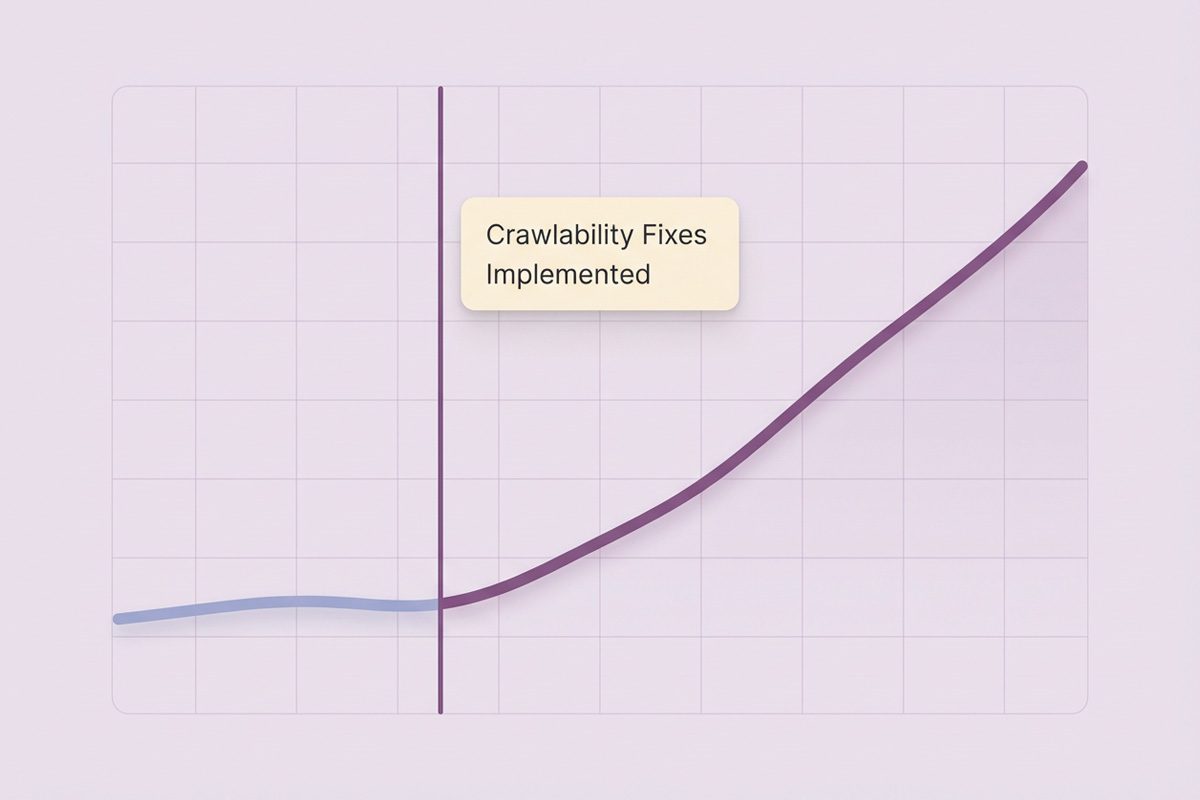
Over five years working with 150+ enterprise clients, we’ve seen a consistent pattern: companies invest heavily in content creation while Googlebot struggles to access their site. One manufacturing client’s organic leads increased 240% after fixing a single robots.txt misconfiguration that blocked their entire product catalog.
If search engines can’t crawl your site, your SEO strategy fails at the foundation—regardless of content quality or backlinks. Let’s fix what’s blocking your growth.

- What Are Crawlability Problems and Why Do They Matter?
- How Search Engine Crawling Works
- How Crawlability Problems Impact Your SEO Performance
- Common Crawlability Issues That Block Search Engines
- 15. Duplicate Content from Technical Issues
- The Role of Sitemaps and Robots.txt
- How to Identify Crawlability Issues on Your Website
- Third-Party Crawl Tools We Recommend
- Preventing Future Crawlability Problems
- Conclusion: Prioritizing Crawlability for Long-Term SEO Success
- Frequently Asked Questions
What Are Crawlability Problems and Why Do They Matter?
Crawlability problems are technical barriers preventing search engine crawlers—like Googlebot—from discovering, accessing, and indexing your website content. Think of crawlers as librarians cataloging the internet. If they can’t reach your books, those books won’t appear in the catalog.
These bots follow internal links, process XML sitemaps, and respect robots.txt directives to navigate your site. When technical problems block their path, your content becomes invisible to search engines—regardless of quality.
Crawlability issues don’t just impact traditional search—they’re equally critical for AI-powered platforms. LeadCraft’s generative engine optimization builds on your technical SEO foundation, as crawlability barriers preventing Googlebot access also block ChatGPT, Perplexity, and Gemini from indexing your content. Fixing these foundational issues unlocks visibility across both traditional search engines and emerging AI platforms where your audience increasingly discovers solutions.
How Search Engine Crawling Works
Search engines use automated bots—web crawlers—to systematically browse and analyze website content.
- Internal links serve as the primary navigation method.Crawlers follow links from one page to another, mapping your site’s architecture.
- XML sitemaps provide efficient guidance, listing priority URLs and helping crawlers discover content faster.
- Robots.txt files control access, telling crawlers which areas they can or cannot visit.
Common Site Crawler Tools
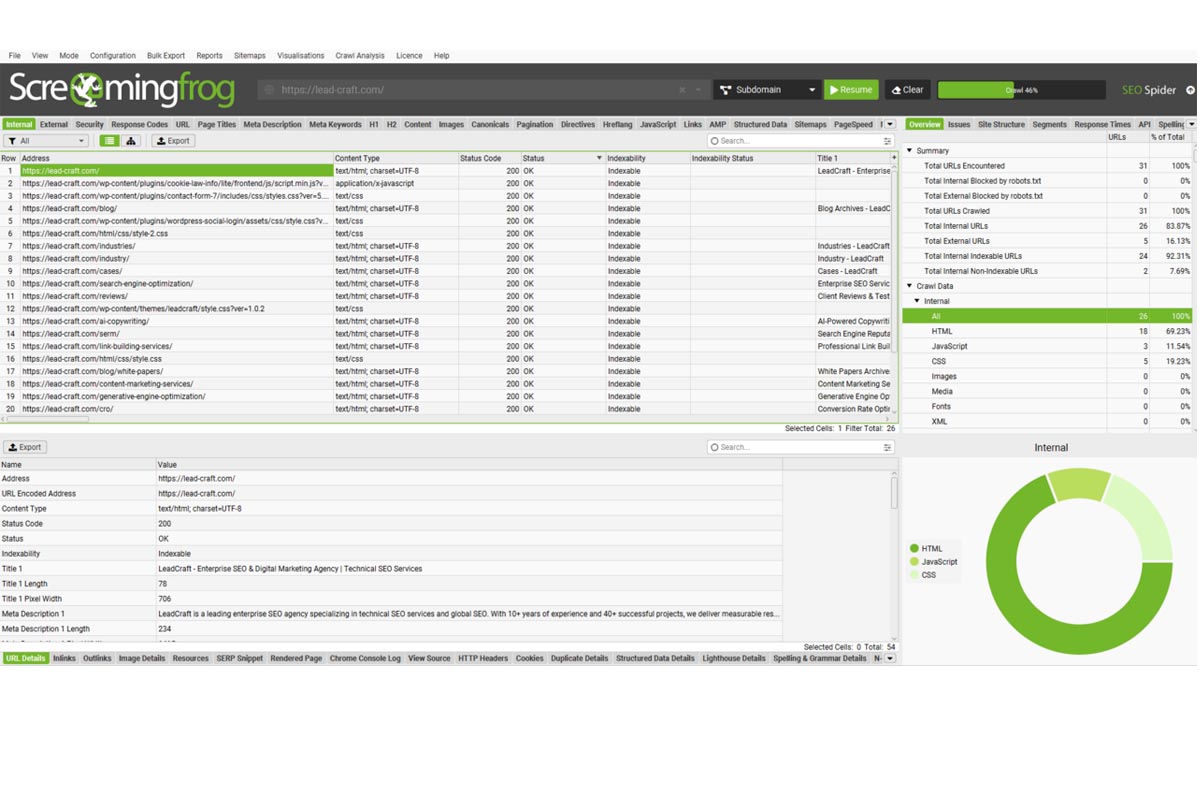
Googlebot comes in several variants: Mobile Googlebot (now the primary crawler), Desktop Googlebot, Googlebot Image, Googlebot News, and Googlebot Video. Beyond Google’s official crawlers, third-party tools like Screaming Frog, DeepCrawl, and Sitebulb simulate bot behavior for diagnostic purposes.
The Critical Difference Between Crawlability and Indexability
Crawlability means search engines can access your content—they can reach the page and read it. Indexability means that accessed content should appear in search results—it meets quality and directive requirements.
Crawling always precedes indexing. If Googlebot can’t crawl a page due to server errors or robots.txt blocking, that page will never be indexed—regardless of content quality. However, a page can be perfectly crawlable yet still not indexable if you’ve added a noindex meta tag.
How Crawlability Problems Impact Your SEO Performance
When search engines can’t crawl your content, they can’t index it. When they can’t index it, your pages won’t rank. The impacts are direct and measurable:
- indexed pages drop dramatically,
- organic traffic declines 40-70%,
- crawl requests become inefficient,
- ranking coverage shrinks,
- click-through rates suffer due to reduced SERP presence.
Common Crawlability Issues That Block Search Engines
Through hundreds of website audits, I’ve identified 15 recurring crawlability problems that consistently damage organic performance.
1. Pages Blocked in Robots.txt
The robots.txt file controls which areas of your site crawlers can access. A single incorrect directive can block entire sections from being crawled. Common mistakes include blocking important content directories, disallowing CSS or JavaScript files, and using overly broad blocking rules.
To diagnose this issue, use Google Search Console’s robots.txt tester. Submit your robots.txt file and test specific URLs to confirm they’re not inadvertently blocked.
2. JavaScript Resources Blocked in Robots.txt
Blocking JavaScript files in robots.txt prevents proper page rendering. When you block these resources, Googlebot can’t render pages as users see them, missing critical content hidden behind JavaScript execution.
Fix this by ensuring your robots.txt explicitly allows JavaScript and CSS files. Test rendering in Google Search Console’s URL Inspection tool to verify Googlebot sees your content correctly.
- # BAD – Blocks entire site
- User-agent: *
- Disallow: /
- # BAD – Blocks important content
- User-agent: *
- Disallow: /products/
- Disallow: /blog/
- # GOOD – Strategic blocking
- User-agent: *
- Disallow: /admin/
- Disallow: /checkout/
- Allow: /products/
- Allow: /blog/
3. Server Errors Preventing Crawler Access
Server-side errors—particularly 5xx status codes—immediately block crawler access. When Googlebot encounters a 500 Internal Server Error or 503 Service Unavailable, persistent errors cause pages to drop from the index entirely.
| Code | Meaning | Crawl Impact | Resolution Priority |
|---|---|---|---|
| 500 | Internal server error | Immediate block | Critical - fix ASAP |
| 502 | Bad gateway | Connection failure | High - server config |
| 503 | Service unavailable | Temporary block | High - check resources |
| 504 | Gateway timeout | Request timeout | Medium - optimize response |
Monitor server response codes in Google Search Console’s Coverage Report and set up alerts for increases in 5xx errors.
4. Not Found (404) Errors
While occasional 404s are normal, excessive 404 errors waste crawl budget and damage user experience. Each time Googlebot requests a 404 page, it uses crawl budget without accessing valuable content.
Prioritize fixes based on impact. Address 404s that receive significant traffic or inbound links, appear in your internal linking structure, or were recently active and ranking well. For high-value 404s, implement 301 redirects to the most relevant current content.
5. Poor Internal Linking Structure
Internal links are the primary way crawlers discover content. Weak internal linking creates orphaned pages—valuable content that exists but has no internal links pointing to it. Pages buried 7-8 clicks from your homepage receive less crawl priority and may be crawled infrequently or not at all.
The industry standard recommends keeping important content within 3-4 clicks of your homepage.
6. Internal Broken Links
Broken internal links disrupt crawler navigation and waste crawl budget. Each time Googlebot follows a broken link, it hits a dead end—wasting a crawl request that could have been used on valuable content.
Use Google Search Console to identify broken links in the Coverage Report. Tools like Screaming Frog systematically crawl your site and flag all broken links with their source pages.
7. URL Structure and Parameters
Poor URL structure creates crawlability challenges, especially when URL parameters generate duplicate content variations. These parameter-based URLs waste crawl budget as Googlebot crawls dozens of near-duplicate pages.
Use Google Search Console’s URL Parameters tool to tell Google how to handle specific parameters. For new sites, implement clean URL structures from the start using directories instead of parameters where possible.
8. Excessive Redirect Chains and Loops
Redirect chains occur when one URL redirects to another, which redirects to yet another. Each redirect in the chain slows the crawl process, wastes crawl budget, and dilutes link equity.
Steps to identify and fix redirects:
- Crawl site with Screaming Frog (Redirect Chain Report)
- Identify chains longer than 1 hop
- Map redirect paths (source → final destination)
- Update links to point directly to final URL
- Consolidate redirects (remove intermediate hops)
- Monitor redirect count in GSC
- Regular audits to catch new chains
9. Access Restrictions (IP, Password, Firewalls)
Security measures sometimes unintentionally block legitimate search engine crawlers. Aggressive firewall rules, IP-based access restrictions, or blanket bot-blocking configurations can prevent Googlebot from accessing your content.
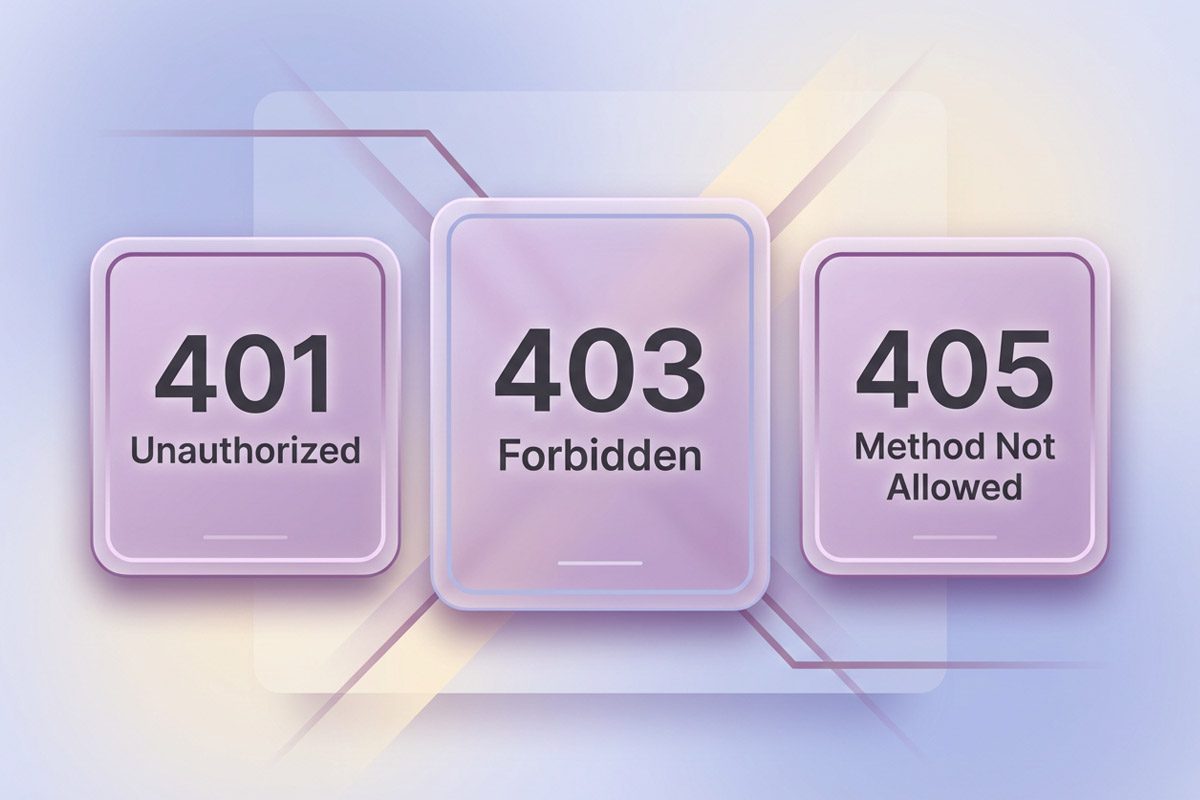
Verify Googlebot can access your content by checking Google Search Console for “Access denied” or “Unauthorized” errors. Work with your IT team to configure security that allows verified search engine crawlers while blocking malicious bots.
10. JavaScript Rendering Barriers
JavaScript-heavy websites present unique crawlability challenges. Sites using frameworks like React, Vue, or Angular often render content entirely through JavaScript. If JavaScript fails to execute properly, crawlers see an empty page with no content.
| Aspect | Server-Side Rendering | Client-Side Rendering |
|---|---|---|
| Crawler accessibility | Immediate (HTML ready) | Delayed (requires JS execution) |
| Performance | Fast initial load | Slower initial, fast navigation |
| SEO friendliness | Excellent | Requires extra effort |
| Implementation | More complex server | Simpler initial setup |
| Best for | Content-heavy sites | Web applications |
Test your JavaScript rendering in Google Search Console using the URL Inspection tool. For critical content, implement progressive enhancement: deliver core content in static HTML, then enhance with JavaScript for interactivity.
11. Dynamically Inserted Links
Links inserted dynamically through JavaScript execution may be missed by crawlers. If your navigation menu, internal links, or important page connections are added to the DOM after page load, crawlers might not discover or follow them.
Ensure critical navigation links exist in your HTML source code, not just inserted by JavaScript. Your main menu, footer links, and primary internal navigation should be crawler-accessible without JavaScript execution.
Comparison: How search engines see static vs dynamic links:
- <!– STATIC (always crawlable) –>
- <a href=”/page/”>Link Text</a>
- <!– DYNAMIC (may be missed) –>
- <div id=”links”></div>
- <script>
- document.getElementById(‘links’).innerHTML =
- ‘<a href=”/page/”>Link Text</a>’;
- </script>
12. XML Sitemap Issues
XML sitemap optimization techniques:
- Include only indexable URLs (no noindex pages)
- Update lastmod dates accurately
- Split large sites (50K URLs max per file)
- Use sitemap index for multiple sitemaps
- Remove 404/redirect URLs promptly
- Submit via GSC and robots.txt
- Monitor error reports in GSC
- Update after significant content changes
13. Mobile Crawlability Problems
Google now uses mobile-first indexing, meaning Mobile Googlebot is the primary crawler. Common mobile crawlability issues include content hidden on mobile but visible on desktop, mobile pages blocked in robots.txt, separate mobile URLs with different content, and intrusive interstitials.
Test mobile rendering in Google Search Console. With mobile-first indexing, your mobile version is what Google primarily sees and uses for ranking—even when users search on desktop.

14. Content Quality and "Thin" Content Problems
Low-quality content impacts how crawlers allocate resources to your site. Sites with extensive thin content waste crawl budget on low-value pages, leaving less budget for important content.
Conduct a content audit to identify thin pages. For thin content, either improve quality by adding substantial unique value, consolidate similar pages into more comprehensive resources, or remove or noindex pages that serve no search purpose.
15. Duplicate Content from Technical Issues
Technical duplicate content confuses crawlers and dilutes ranking signals. Common technical causes include HTTP vs HTTPS versions both accessible, trailing slash variations, URL parameters creating duplicates, and printer-friendly versions at separate URLs.
Implement canonical tags to specify your preferred URL version. For technical duplicates, consider server-side fixes: enforce one protocol, choose one subdomain, standardize trailing slashes, and consolidate mobile using responsive design.
The Role of Sitemaps and Robots.txt
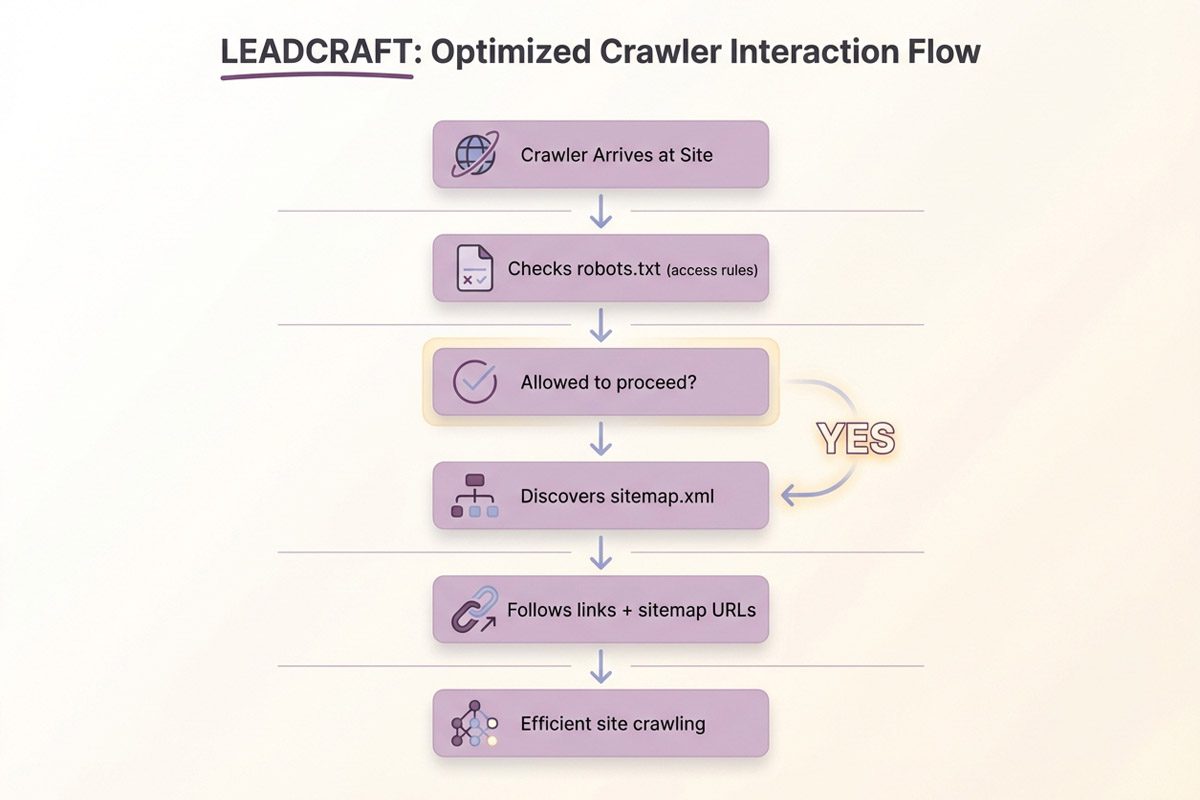
XML sitemaps and robots.txt work together as complementary crawler guidance systems. Robots.txt controls access—it tells crawlers which areas they’re allowed to access and which are off-limits. XML sitemaps guide discovery—they list priority URLs and help crawlers find important content efficiently.
The key is consistency: never list URLs in your sitemap that robots.txt blocks. This sends conflicting signals to crawlers.
Robots.txt example:
- User-agent: *
- Disallow: /admin/
- Allow: /
- Sitemap: https://example.com/sitemap.xml
Sitemap index example:
- <?xml version=”1.0″ encoding=”UTF-8″?>
- <sitemapindex xmlns=”http://www.sitemaps.org/schemas/sitemap/0.9″>
- <sitemap>
- <loc>https://example.com/sitemap-posts.xml</loc>
- <lastmod>2025-01-15</lastmod>
- </sitemap>
- <sitemap>
- <loc>https://example.com/sitemap-pages.xml</loc>
- <lastmod>2025-01-15</lastmod>
- </sitemap>
- </sitemapindex>
How to Identify Crawlability Issues on Your Website
Systematic diagnosis requires multiple data sources. Use this layered approach for comprehensive coverage.
Using Google Search Console for Crawl Analysis
Google Search Console provides direct insight into how Googlebot experiences your site. The Coverage Report shows indexation status for all discovered URLs. The URL Inspection Tool tests individual pages, showing exactly what Googlebot sees. The Crawl Stats Report reveals crawling activity patterns: requests per day, downloaded kilobytes, and time spent downloading pages.
Third-Party Crawl Tools We Recommend
Beyond Google Search Console, specialized crawl tools simulate bot behavior and reveal technical issues.
| Tool | Best For | Pricing | Key Features | Learning Curve |
|---|---|---|---|---|
| Screaming Frog | Comprehensive audits | Free/€200/yr | Custom extraction, API integration | Medium |
| DeepCrawl | Enterprise sites | Enterprise | Scheduled crawls, monitoring | Medium-High |
| Sitebulb | Visual insights | £35/mo | Visual reports, issue hints | Low-Medium |
| OnCrawl | Log analysis | Enterprise | Crawl vs log comparison | High |
Screaming Frog reveals response code distributions, redirect chains and loops, orphaned pages with no internal links, pages blocked by robots.txt or noindex, and broken images and resources.
Log File Analysis for Advanced Crawl Insights
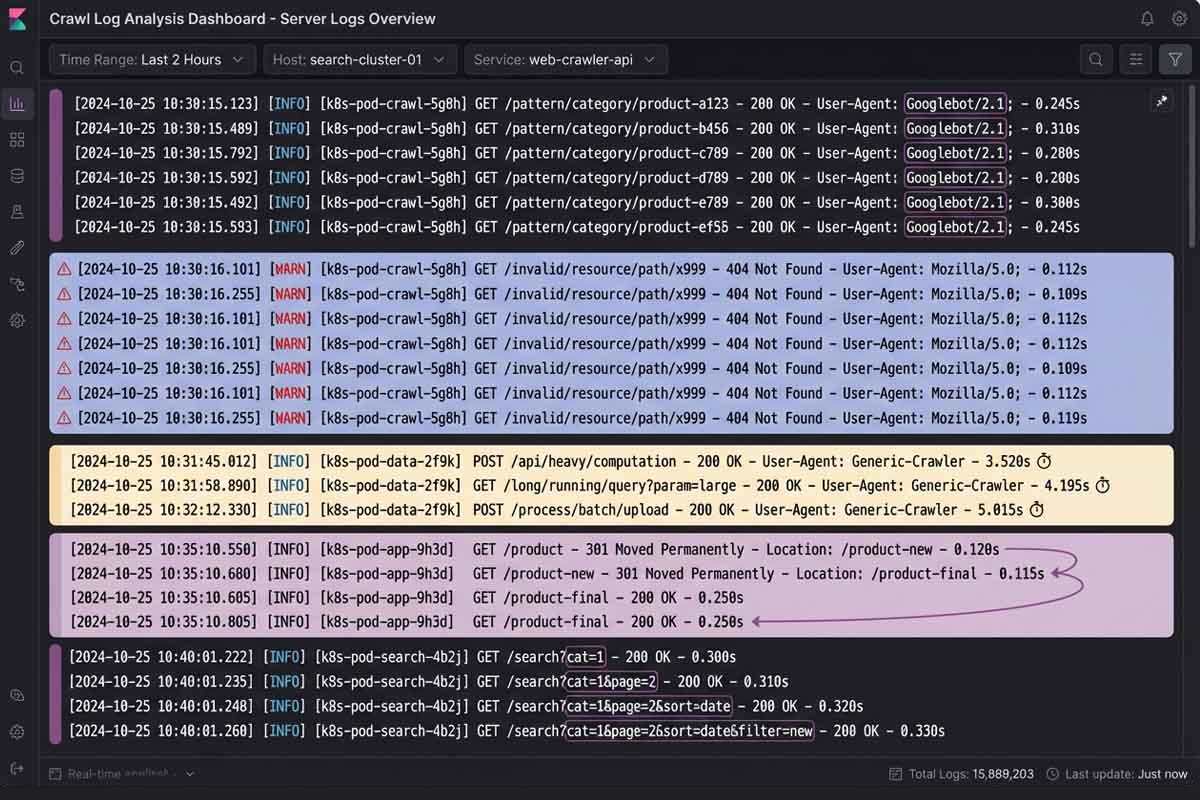
Steps for log analysis:
- Access server logs (Apache access.log, Nginx logs, CDN logs)
- Filter for Googlebot user-agent entries
- Identify crawl frequency patterns (requests per day)
- Analyze status codes (200 vs 4xx vs 5xx)
- Check for crawl traps (same URLs repeatedly)
- Review page prioritization (which pages crawled most)
- Detect server errors during crawl times
- Compare crawl behavior to GSC data
Preventing Future Crawlability Problems
Reactive fixes aren’t enough—you need ongoing systems that prevent crawlability issues before they damage performance.
Here are some preventive measures:
- Weekly GSC Coverage Report reviews
- Monthly full site crawls (Screaming Frog)
- Quarterly log file analysis
- Robots.txt validation after any changes
- Sitemap updates with content changes
- Internal link audits (monthly)
- Server performance monitoring (24/7)
- Pre-deployment crawlability testing
- Redirect audit after migrations
- Mobile parity checks (monthly)
Setting Up Ongoing Monitoring Systems
In Google Search Console, set up email alerts for coverage issues. When Google detects new crawl errors or indexation drops, you’ll receive immediate notification. Set meaningful thresholds—alert when indexed pages drop by 10% or more, or when 5xx errors exceed 1% of total crawl requests.
Creating a Crawlability Checklist for Site Updates
Major site changes introduce significant crawlability risk. Before updates, crawl your current site and save baseline data, document all URLs and site structure, verify robots.txt doesn’t block important content, and test that JavaScript renders properly. After updates, re-crawl immediately, verify 301 redirects, test robots.txt, submit updated sitemaps, and monitor Coverage Report daily for the first two weeks.
Conclusion: Prioritizing Crawlability for Long-Term SEO Success
Crawlability forms the foundation of all organic search success. Without proper web crawler access, search engines can’t discover your content—making even brilliant optimization efforts irrelevant.
Most companies overlook crawlability while chasing rankings and backlinks. Yet it’s the prerequisite for everything else in SEO. Fix crawlability first, and you unlock sustainable organic growth that compounds over time.
Start by addressing foundation issues, then tackle architectural problems, followed by optimization refinements. The businesses winning in search treat crawlability as critical infrastructure—not an afterthought.
Critical issues and solutions:
- ✅ Robots.txt blocking → Audit and optimize directives
- ✅ Server errors → Monitor and fix infrastructure
- ✅ Poor internal linking → Implement hierarchical structure
- ✅ JavaScript barriers → Ensure progressive enhancement
- ✅ 404 errors → Prioritize and fix/redirect
- ✅ URL parameters → Consolidate and manage
- ✅ Redirect chains → Streamline to direct paths
- ✅ XML sitemap issues → Optimize and submit
- ✅ Mobile parity → Ensure responsive design
- ✅ Duplicate content → Implement canonicals
Better crawlability leads to more indexed pages, which generates more organic visibility, which drives qualified traffic. That traffic converts into revenue that funds further growth—but it all starts with ensuring search engines can properly access your content.
Frequently Asked Questions
What are crawlability issues?
Crawlability issues are technical barriers preventing search engine crawlers like Googlebot from discovering, accessing, and indexing website content. Common problems include robots.txt blocking directives, server errors, poor internal link structure, JavaScript rendering barriers, and access restrictions.
How do crawlability issues affect SEO?
Crawlability issues prevent pages from being indexed and ranking in search results, directly reducing organic visibility and traffic. Fixing crawlability issues can double or triple organic traffic within 3-6 months.
What are the most common crawlability problems?
The most common problems include robots.txt blocking important content, server errors preventing access, poor internal linking structure, JavaScript rendering barriers, 404 errors wasting crawl budget, and URL parameter issues. These account for over 80% of crawlability problems across audited sites.
What’s the difference between crawlability and indexability?
Crawlability is whether bots can access your content, while indexability is whether accessed content should appear in search results. Crawling always precedes indexing—if crawlers can’t access pages, those pages will never be indexed.
What is crawl budget and how is it related to crawlability issues?
Crawl budget is the number of pages search engines crawl on your site within a given timeframe. Crawlability issues waste budget on errors, redirects, and duplicate content, leaving important content uncrawled and unindexed.
How do you diagnose crawlability issues on your website?
Use Google Search Console Coverage Report for Googlebot errors, URL Inspection for individual pages, and Crawl Stats for activity patterns. Supplement with crawler tools like Screaming Frog and analyze server log files for actual crawler behavior.
How do robots.txt and sitemaps affect crawlability?
Robots.txt controls crawler access by blocking or allowing specific areas, while XML sitemaps guide efficient discovery by listing important URLs. They work together—robots.txt prevents access to restricted areas, sitemaps prioritize valuable content.
 Share
Share
 X
X
 LinkedIn